Published: April 9, 2026
Magic Power Bill
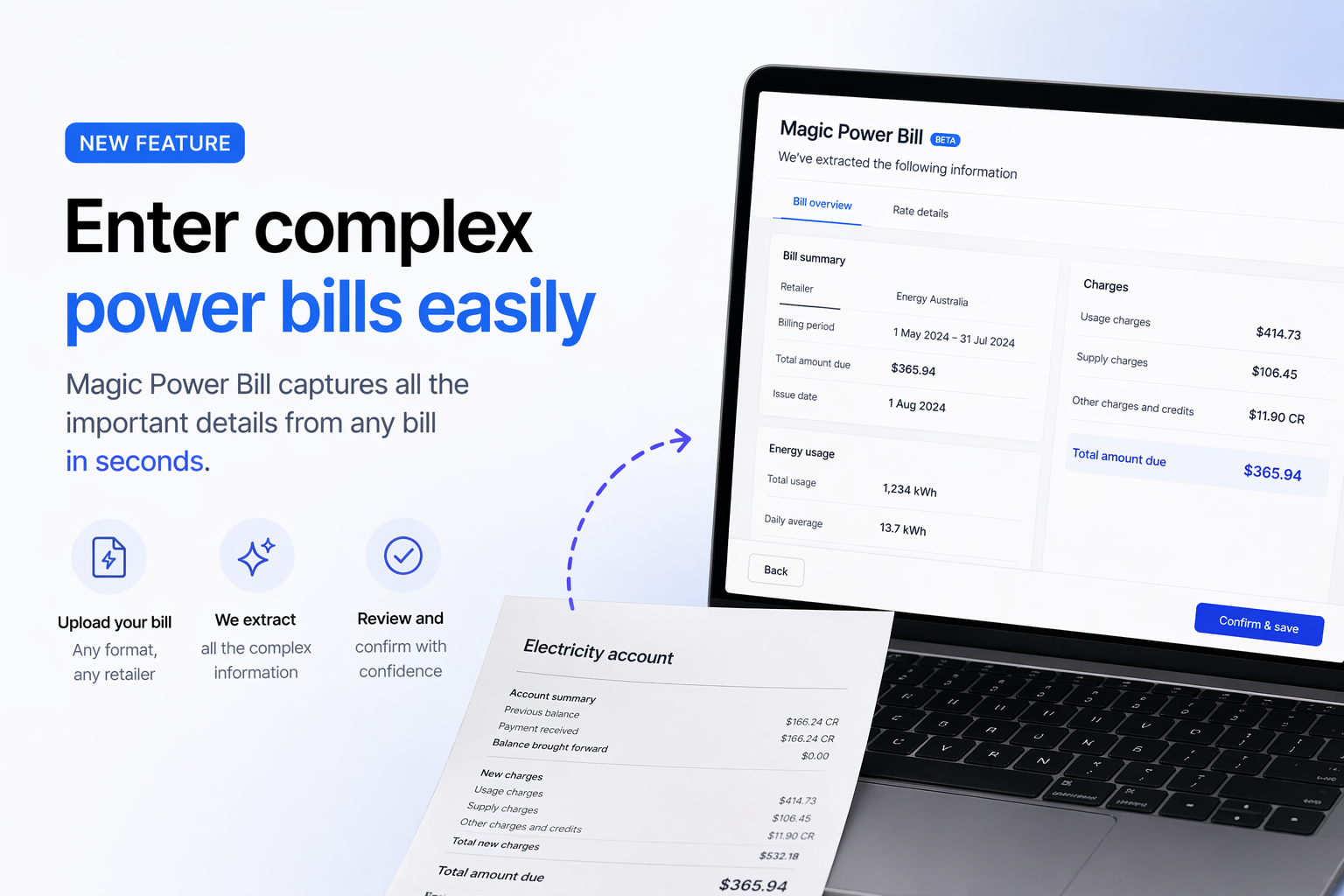
Stop asking customers to manually relay their energy rates. Upload their PDF power bill and get accurate tariffs and time-of-use data almost instantly — ready to use in your solar quote.
AI-powered energy rate extraction
One of the biggest friction points in quoting solar is getting accurate energy rates from your customer. Ask them to find the number themselves and you'll often get a rough guess, the wrong figure, or nothing at all. Magic Power Bill eliminates that problem entirely. Here's what it does and why it matters:
- What is Magic Power Bill?
- How does it work?
- Why does accurate tariff data matter for solar quotes?
- How to use Magic Power Bill in Solar Proof
Article Contents
What is Magic Power Bill?
Magic Power Bill is a feature in Solar Proof that lets you upload a customer's electricity bill as a PDF. The system reads the document and automatically extracts the key information needed for an accurate solar quote — including energy tariff rates, supply charges, controlled load rates, and time-of-use periods where applicable.
This replaces one of the most tedious and error-prone steps in the solar quoting process: manually asking customers what they pay per kilowatt-hour and hoping they give you the right answer.
Most customers don't know their own energy rates off the top of their head. Even those who do often report the wrong figure — quoting the GST-exclusive rate, confusing supply charges with usage rates, or simply misreading their bill. Any of these errors flow directly into the savings projections in your proposal, undermining customer trust and your close rate.
How Does Magic Power Bill Work?
When you upload a customer's PDF power bill to Solar Proof, the system uses intelligent document parsing to locate and extract the relevant rate data. Australian energy retailers format their bills differently — Magic Power Bill is built to handle the variation across major retailers and network areas.
The data extracted typically includes:
- Usage rates — flat rate or time-of-use (peak, off-peak, shoulder) in cents per kWh
- Supply charges — the fixed daily charge regardless of usage
- Controlled load rates — where applicable (e.g. hot water systems on CL1/CL2 tariffs)
- Feed-in tariff (FiT) — if shown on the bill
- Billing period and consumption — to cross-reference with load profile data
Once extracted, these figures are pre-populated directly into the relevant fields in your Solar Proof project — ready to use in your savings calculations and proposal output.
Why Accurate Tariff Data Matters for Solar Quotes
Solar savings projections are only as good as the inputs. If you're quoting a customer on a time-of-use tariff but treating them as a flat-rate customer, your savings estimate could be significantly off — in either direction. This creates two problems:
- Overstated savings — leads to unhappy customers post-installation when the bill reductions don't match expectations
- Understated savings — you might be selling yourself short, especially for customers with high peak-rate usage who would benefit most from solar-plus-battery
Accurate tariff data also matters for battery recommendations. A customer on a flat tariff with a low rate has a very different battery ROI story to one on a high peak rate. Getting this right from the start means your proposal is defensible, trustworthy, and personalised — all of which help close the sale.
The most common quoting mistake: Using a default average tariff rate instead of the customer's actual rate. With Magic Power Bill, this is no longer an excuse.
How to Use Magic Power Bill in Solar Proof
Magic Power Bill is accessible from within any project in Solar Proof. Here's the basic workflow:
- Open a project and navigate to the energy/tariff section
- Click Magic Power Bill and upload the customer's PDF electricity bill
- Solar Proof processes the document and presents the extracted rate data for your review
- Confirm or adjust any figures, then apply them to the project
- Your savings projections and proposal will now use the customer's actual tariff data
The whole process takes under a minute. There's no manual data entry, no back-and-forth with the customer asking them to check their bill, and no guessing.
For the best results, use a clear PDF export directly from the retailer's online portal rather than a scanned photo of a paper bill. Most customers can download their bill as a PDF from their energy retailer's app or website.
Summary
Magic Power Bill removes one of the most common sources of error and friction in the solar quoting process. By extracting accurate tariff data directly from a customer's PDF power bill, you get more accurate savings projections, more credible proposals, and a faster quoting workflow — all without asking the customer to do any legwork.
If you're currently using default or estimated rate figures in your solar quotes, try Magic Power Bill on your next job and see the difference a real tariff makes to your proposal.
Start a free trial of Solar Proof and access Magic Power Bill today.

Chris Taeni - BEngg (Power)
Solar Proof Solutions Pty Ltd
Director